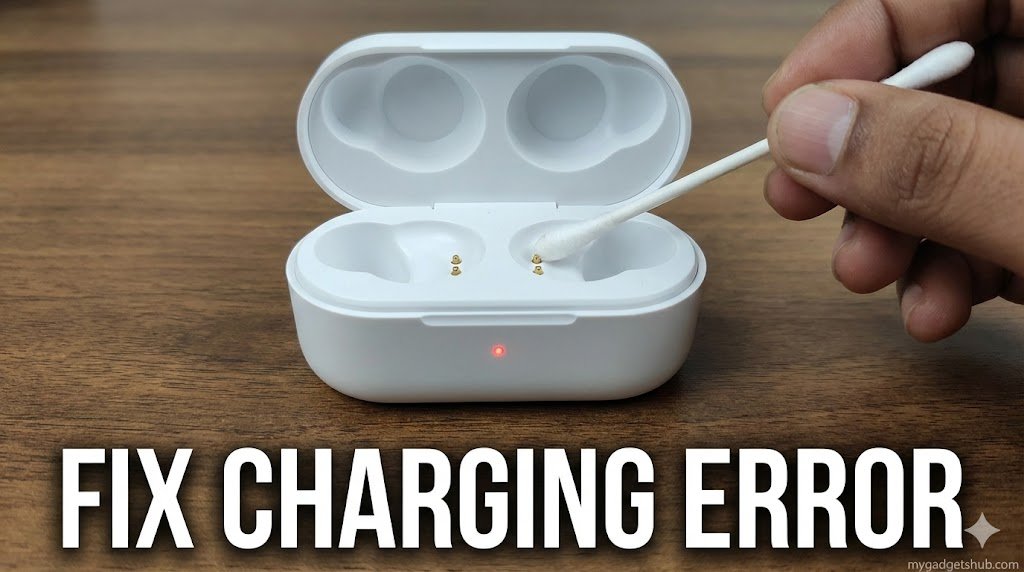
You plugged in your Noise Buds VS102, but instead of a steady charging light, the case LED is flashing red aggressively, and the battery percentage isn’t going up.
A continuous red blinking light on the VS102 indicates a power transfer failure. This is rarely a dead battery; it is usually caused by blocked copper contacts or using the wrong type of charger. Here is how to fix it at home. Keeping small wearables charged during long travel days can be frustrating if you forget their dedicated charging bricks. A great travel hack is utilizing reverse-charging capable gear you already carry; for example, you can easily use a DJI Two-Way charging hub as an emergency power bank to top up your earbuds.
How to Fix the VS102 Charging Issue
1. Stop Using Fast Chargers
Budget TWS earbuds do not have advanced power-surge protection. If you are plugging the Type-C cable into a 33W, 65W, or 120W smartphone charger, the case’s safety chip will reject the power and flash red.
- The Fix: Plug the USB cable directly into your laptop’s USB port, your TV, or an old 5V/1A (5-Watt) adapter. Leave it there for 30 minutes.
2. Clean the Copper Contact Pins (The 80% Fix)
Over time, sweat, earwax, and dust build up an invisible layer over the golden charging pins on the earbuds and inside the case.
- The Fix: Take a dry microfiber cloth or a Q-tip (cotton swab) dipped in a tiny drop of rubbing alcohol or hand sanitizer. Gently wipe the two golden dots on the bottom of the earbuds and the two metal prongs deep inside the charging case.
3. Re-seat the Earbuds
Sometimes the buds do not sit flush inside the magnetic cavity. Remove both earbuds, wipe the stems, and drop them back in. Ensure they “snap” into place. Close the lid tightly and plug in the 5W charger again. The red light should stop blinking and remain steady.
Frequently Asked Questions (FAQs)
What does the red light mean on Noise Buds VS102? A solid red light means the case is currently charging. A fast-blinking red light means the battery is critically low or there is a charging error preventing power from entering the case.
Can I charge Noise earbuds with a mobile charger? Yes, but only if it is a standard low-wattage charger (10W or lower). High-wattage fast chargers (like OnePlus Warp Charge or Realme SuperDart) can trigger the overcharge protection, causing the case to reject the charge.